
Goal
Follow this page step by step, and you will get one successful reply from MineClawd.Tiny glossary
Minecraft Java Edition
The PC version of Minecraft from the official Minecraft Launcher.
Mod loader
Software that lets Minecraft run mods. MineClawd supports Fabric, Forge, and NeoForge.
Mod
A
.jar file that adds features to Minecraft.API key
A secret key that lets MineClawd talk to an online AI service.
Choose your platform
MineClawd supports three loader and version combinations. Pick the tab that matches your setup.- NeoForge 1.21.1 (Recommended)
- Forge 1.20.1
- Fabric 1.20.1
Step 1: install NeoForge
- Download NeoForge Installer from: neoforged.net
- Select Minecraft version 1.21.1 and run the installer.
- Open Minecraft Launcher and run the NeoForge 1.21.1 profile once, then close the game.
Step 2: download required mods
Download these files from Modrinth. On each page, choose a file matching NeoForge and 1.21.1.Step 3: put mod files into your mods folder
- Open your Minecraft folder.
- Open
modsfolder. If it does not exist, create it. - Move all downloaded
.jarfiles intomods. - Do not unzip
.jarfiles.
Step 4: launch game and open MineClawd config
- Start Minecraft with your mod loader profile.
- Create or open a single-player world.
- Turn Allow Cheats ON for that world.
- Open Better ModList -> MineClawd -> Configure (or Mod Menu if on Fabric).
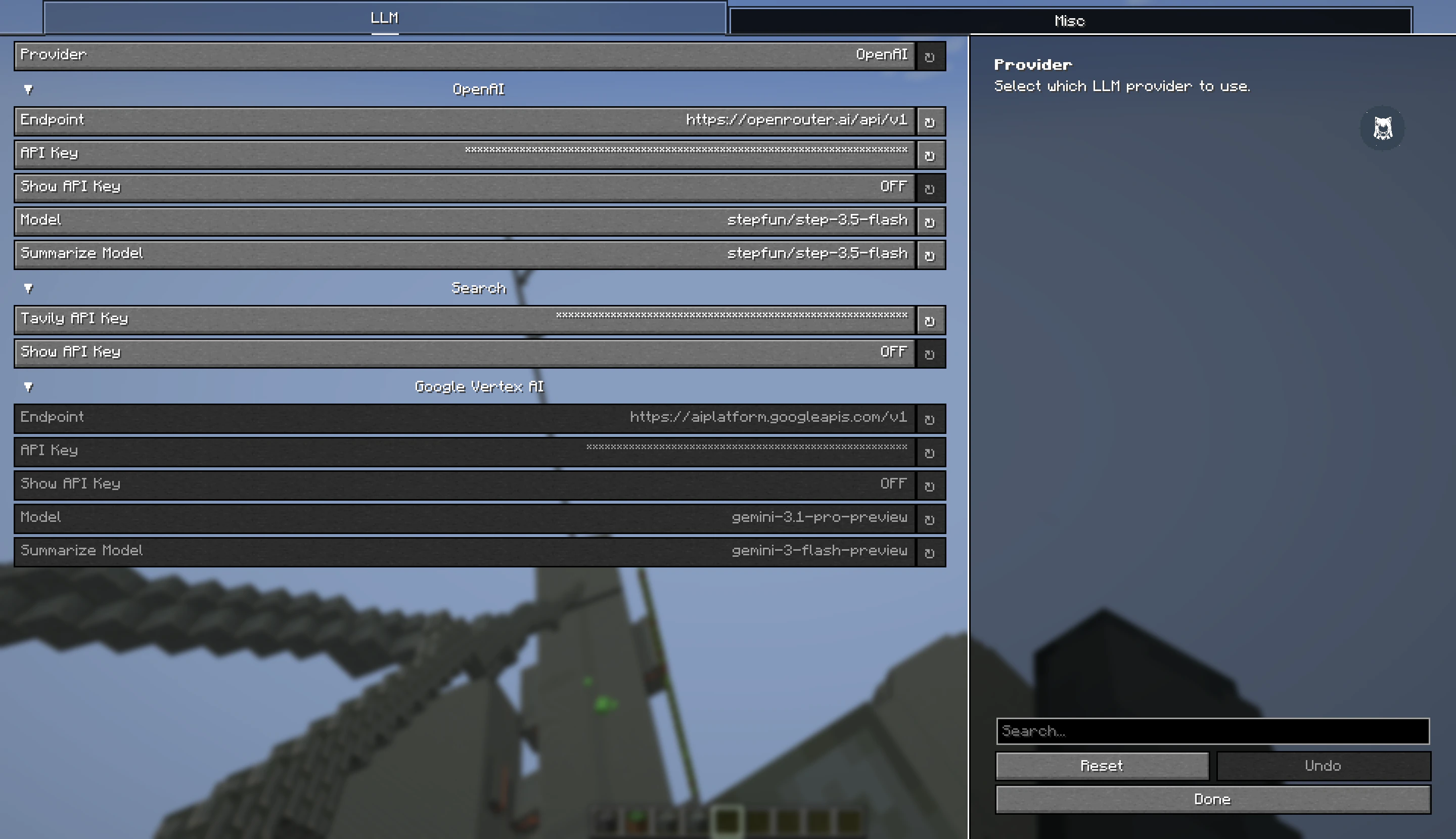
MineClawd config GUI in game
Step 5: connect an AI service
If you do not have an AI account yet, use OpenRouter and pick a free model.- Create account: openrouter.ai
- Create API key: openrouter.ai/settings/keys
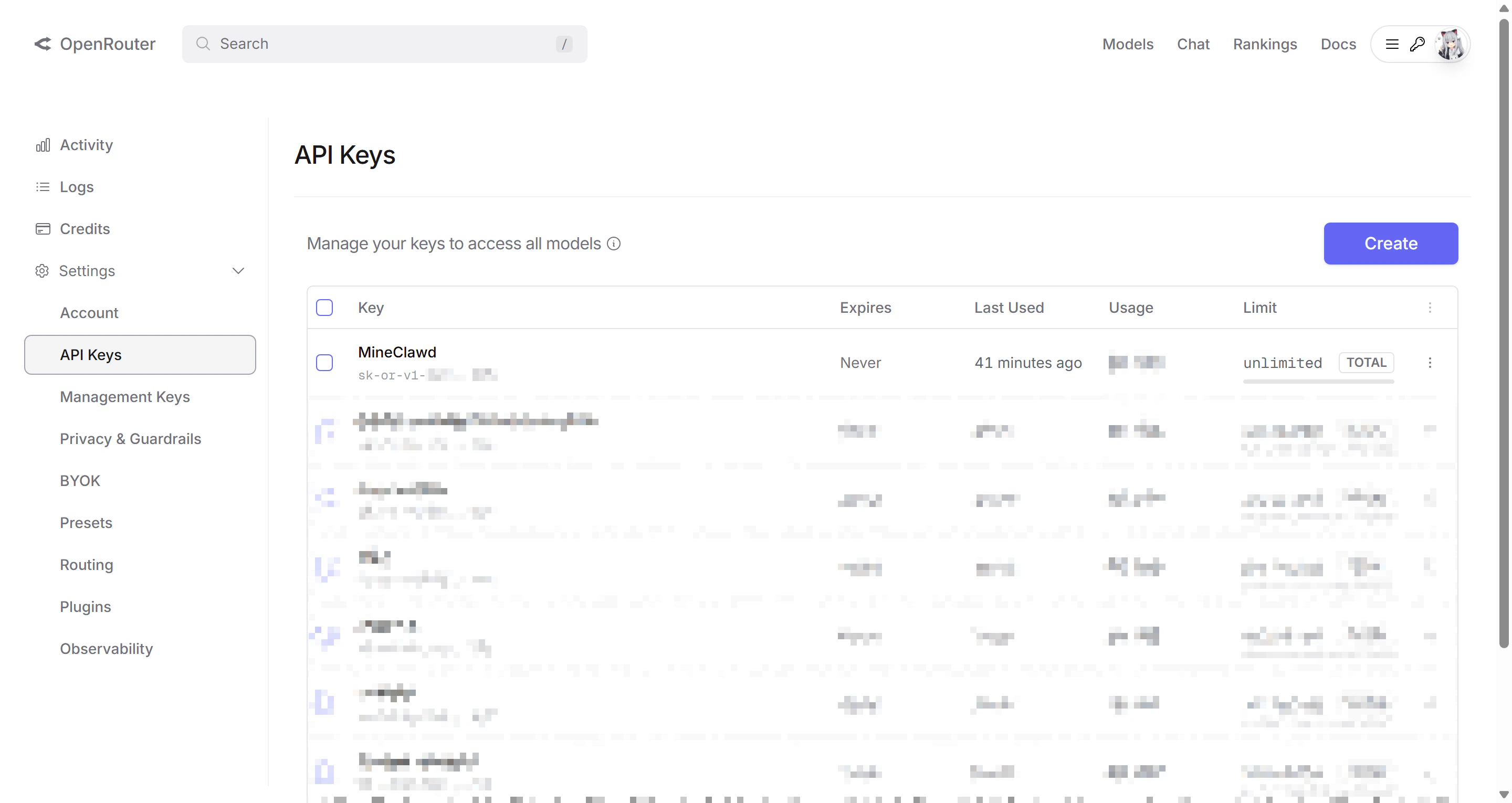
OpenRouter API key management page
- In MineClawd config screen, set:
- Provider:
OpenAI - Endpoint:
https://openrouter.ai/api/v1 - API Key: paste your OpenRouter key
- Model: pick one model id from openrouter.ai/models (free models often include
:free) - Summarize Model: use the same model id for now
- Provider:
- Save config.
Free models and limits change over time. If one model fails, pick another model id from the same models page.
Step 5b (optional): enable web search
MineClawd can search the web during conversations using Tavily. This is optional but useful when you want MineClawd to look up mod documentation, crafting recipes, or other online references.- Create a Tavily account: tavily.com
- Copy your API key from the Tavily dashboard.
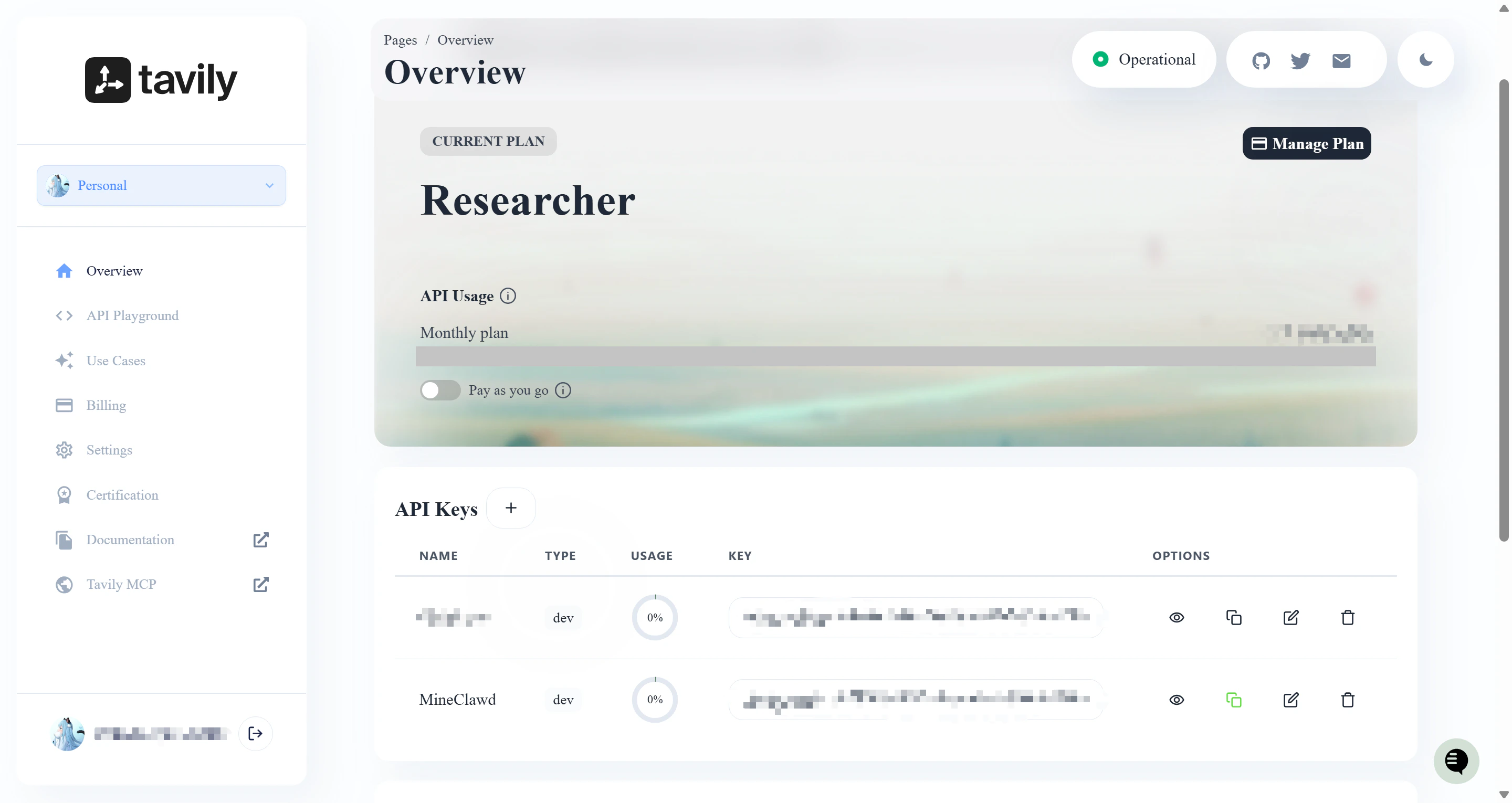
Tavily API key management page
- In MineClawd config screen, paste the key into the Tavily API Key field under the Search group. You can also set it via command:
search tool that queries the web and returns concise source snippets. If the key is not set, the search tool is disabled and MineClawd will let you know if you ask for a web search.
Step 6: send your first message
You have two ways to talk to MineClawd:Option A: use the overlay GUI
Look for the floating orb (AssistiveTouch) on the left side of your screen. Click the orb to open the overlay, type your message in the input bar, and click Send.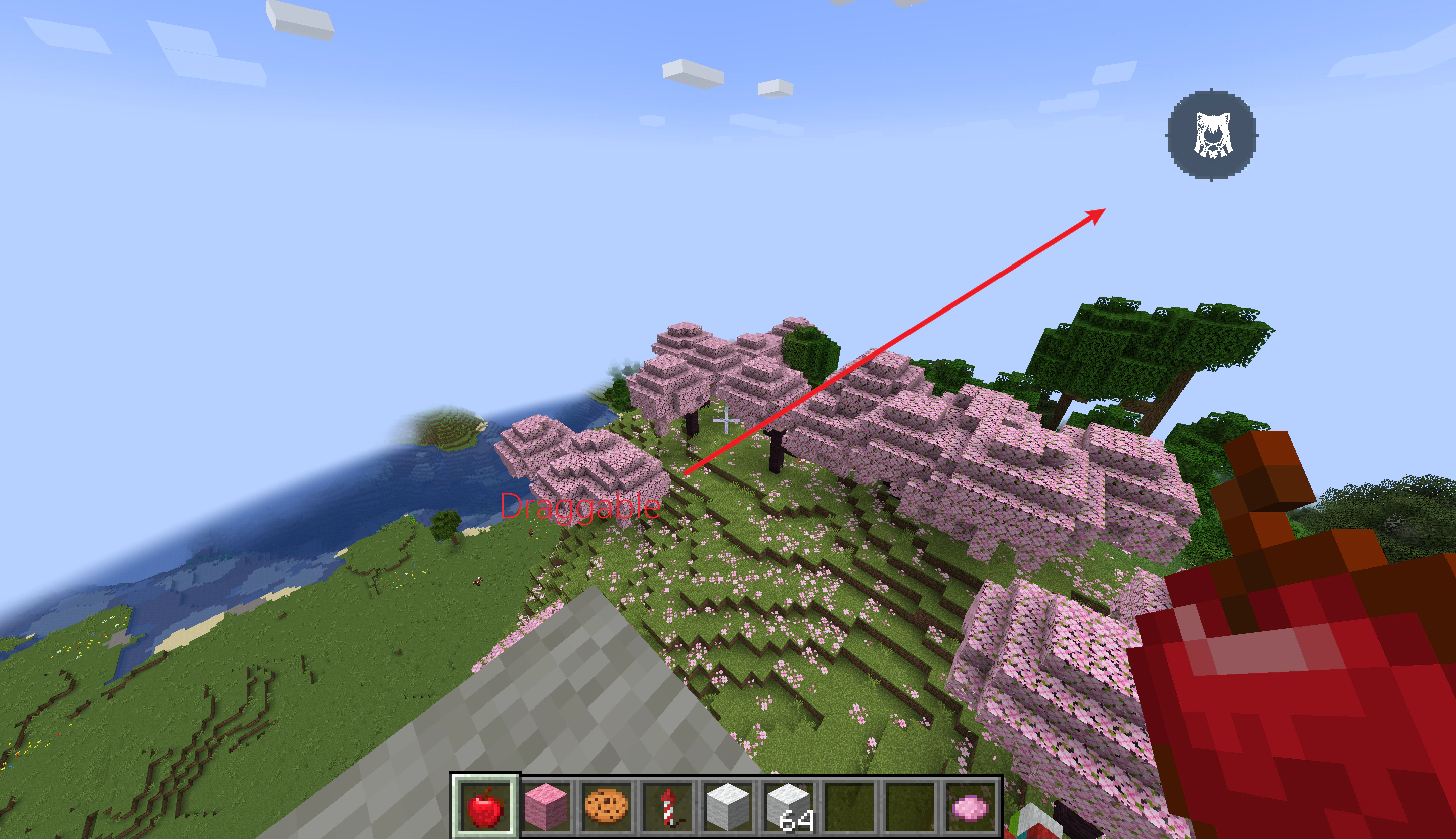
The AssistiveTouch orb opens the overlay with one click
Option B: use chat commands
Open chat and run:If it does not work
Go to /resources/troubleshooting and follow the matching symptom.Next steps
Use these guides to go deeper after your first successful request.Using the GUI
Learn the overlay layout, streaming status, and inline questions.
Managing sessions
Create, switch, and repair Sessions for long-running work.
Tracking assets
Browse and manage everything MineClawd creates in your world.
Command reference
Explore every
/mineclawd command with examples.